
Change Folder Icons in Windows 11 — Turn Any Image into a Folder Icon
Folder Icon Pro is a Microsoft Store app for Windows 11 and Windows 10 that turns any image — PNG, JPG, SVG, ICO, HEIC and more — into a folder icon and adds it to File Explorer’s right-click menu.

Free trial US$14.99 one-time (US store; prices vary by region)
- Works offline
- No ads
- No account
- No tracking
How do you change a folder icon in Windows 11?
Right-click the folder, choose Properties, open the Customize tab, select Change Icon, browse to an .ico file and confirm. Windows has no image picker, so this works one folder at a time.
What the Windows method gives you
It needs no extra software, and Restore Defaults is available on the same tab. It is fine for changing a single folder now and then.
Where it gets slow
It expects an icon file, so a PNG or JPG has to be converted to .ico first. Every folder means another trip through the Properties dialog, and there is no right-click shortcut for picking an icon.
Folder Icon Pro removes those steps. You add an image once, it is converted to a crisp folder icon at every Windows size, and from then on you apply it from the right-click menu, to one folder or to many folders and their subfolders at once.
What Folder Icon Pro does
Everything below is part of the Microsoft Store version of the app.
Many image formats
Use PNG, JPG, SVG, ICO, BMP, GIF, WEBP, TIFF, AVIF, HEIC or DDS files. Add them by drag and drop, the Add Image button, or by pasting from the clipboard.
Icon library
Keep all your icons in one library. Search it, rename icons, and mark favorites so they appear first.
Icon Editor
Place a photo or logo on a folder style with a live preview. Zoom, move and rotate it, add a text overlay (font, size, weight, alignment, color) and choose a transparent or colored background.
Right-click actions
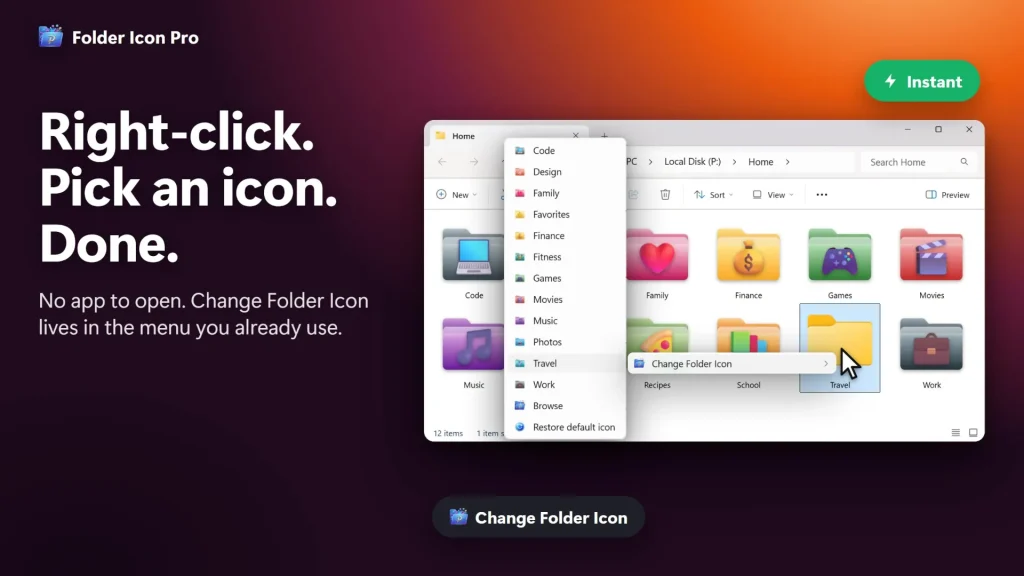
Change Folder Icon applies an icon instantly. Create New Folder makes a folder that already has an icon. Collect into New Folder moves selected files into one. Browse opens the full Apply to Folders window.
Bulk and subfolders
Apply one icon to many folders, including their subfolders, in a single step. Renamed or moved folders keep their icon.
Edit once, update everywhere
Change an icon in the library and every folder that uses it is updated.
Restore default icons
Put the standard Windows folder icon back on one folder or many. You can show or hide this command, or the whole menu.
Customizable menu
Show up to 40 icons in the right-click menu, with your own names and order, as one shared list or separate lists per command.
Backup and restore
Save icons, folder assignments and image files to a single .bakfip archive, and restore it later or on another PC.
The app also works with non-Latin folder names and Windows user names, and its interface is available in 16 languages.
Folder Icon Pro in File Explorer
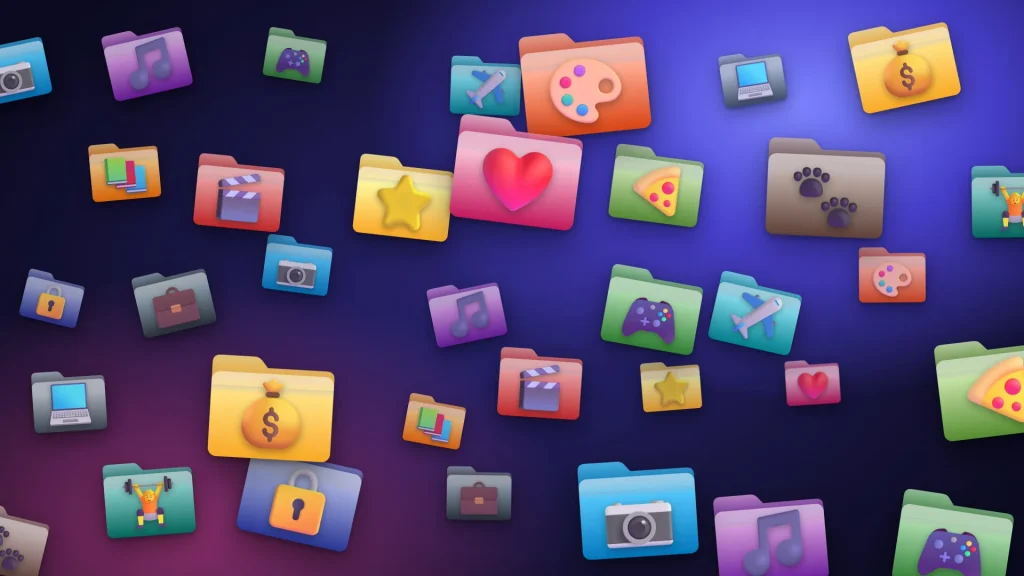
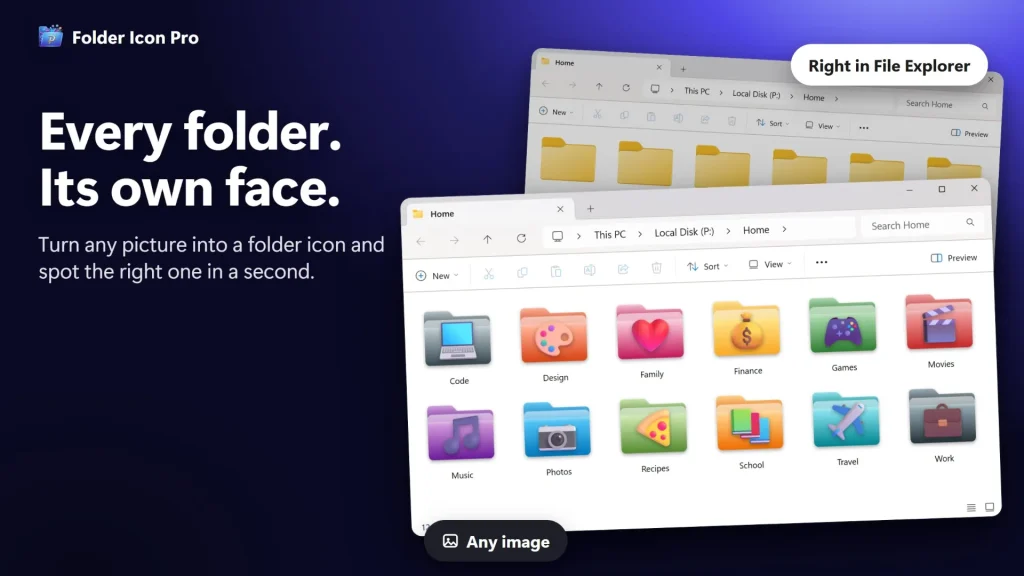
How do you turn an image into a folder icon?
Install Folder Icon Pro, add an image, then right-click any folder and pick the icon. It takes four steps.
Install the app
Get Folder Icon Pro from the Microsoft Store. You can start with the free trial.
Add your images
Drag a PNG, JPG, SVG, HEIC or other image into the app, use Add Image, or paste from the clipboard. Open the Icon Editor if you want to zoom, rotate or add text.
Right-click a folder
In File Explorer, right-click the folder and choose Change Folder Icon. The menu shows your icons, so there is no app window to open.
Pick an icon
Click an icon and the folder changes at once. To update several folders, or a whole project with subfolders, choose Browse to open the Apply to Folders window.
Folder Icon Pro vs the Windows method, FolderIco and Folder Marker
A dash means we could not verify that point from the vendor’s public pages, so we do not claim it either way.
| Feature | Folder Icon Pro | Windows built-in | FolderIco | Folder Marker |
|---|---|---|---|---|
| Change icon from the right-click menu | Yes | No | Yes | — |
| Uses PNG or JPG directly | Yes | No (.ico needed) | Yes | — |
| Apply to many folders and subfolders | Yes | No (one at a time) | — | Pro only |
| Built-in icon editor with text | Yes | No | — | — |
| Backup of icons and assignments | Yes (.bakfip) | — | — | Pro only |
| Cost | Free trial, then paid | Included in Windows | Free and paid tiers | Free (home use) and Pro |
Sources: Folder Icon Pro’s Microsoft Store listing; folderico.com and foldermarker.com vendor pages (promotional, read November 2026); Windows steps from public Windows 11 guides. Vendor pages can change, so check them before you decide.
Limitations: Folder Icon Pro runs on Windows only, and after the free trial it is a paid app. If you only change an icon occasionally, the built-in method costs nothing.
Folder Icon Pro or Folder Colors?
Choose Folder Icon Pro when you want a picture or logo as the icon. Choose Folder Colors when you only want fast color-coding.
Folder Icon Pro
Any image as a folder icon, plus an editor, an icon library, bulk and subfolder apply, a customizable menu and backup.
Folder Colors
Colors for folders from the right-click menu. It shares the Change, Create New Folder and Collect into New Folder pattern.
Two more Windows apps from the same developer pair well with it: File Engine, a tabbed file manager with its own folder colors and tags inside its own window, and WidgetNest, desktop widgets for your wallpaper. All five apps are covered on the Apps page.
Why might custom folder icons stop showing after a Windows update?
Microsoft has said that custom folder icons and localized folder names, which are stored in a desktop.ini file, may not appear after the June 2026 security updates when the desktop.ini is not trusted. Examples are files carrying the Mark of the Web, and folders on WebDAV, HTTP or untrusted network locations. Microsoft describes this as intended security behavior.
In practice, custom icons are most dependable on folders stored on your own local drives. We have not tested every Windows build and location, so we do not claim Folder Icon Pro is immune. See Microsoft’s support article on custom folder icons and the June 2026 update for the current guidance.
Does Folder Icon Pro work offline, and what does it collect?
It works offline, needs no account, shows no ads and does not track you.
Your icons and settings stay on your PC. Folder Icon Pro changes only the icon: folder names, files and shortcuts are left as they are. Read the full Application Privacy Policy, or contact us through Support.
Folder Icon Pro questions
How much does Folder Icon Pro cost, and is there a free trial?
Folder Icon Pro has a free trial and costs US$14.99 as a one-time purchase in the US Microsoft Store. Prices vary by region, so check the Store listing for your country.
Does Folder Icon Pro work on Windows 10?
Yes. It supports Windows 11 and Windows 10 version 1809 or later.
Does it work offline?
Yes. Folder Icon Pro works without an internet connection. It needs no account, shows no ads and does not track you.
Does it change my files or folder names?
No. It changes only the folder’s icon. Folder names, files and shortcuts stay unchanged.
Which image formats can I use?
PNG, JPG, SVG, ICO, BMP, GIF, WEBP, TIFF, AVIF, HEIC and DDS. The app makes the icon crisp at every Windows size.
How do I restore the default folder icon?
Use the restore default command in the right-click menu or in the app. It works on one folder or on many folders at once.
How do I back up my icons or move to a new PC?
In Settings, use Backup to save your icons, folder assignments and image files to a .bakfip archive. Install the app on the new PC and use Restore with that file.
Which languages are supported?
Sixteen: Arabic, German, English, Spanish, French, Hindi, Italian, Japanese, Korean, Norwegian Bokmål, Dutch, Brazilian Portuguese, Russian, Swedish, Turkish and Simplified Chinese.
Folder Icon Pro at a glance
| Developer | Muharrik Albarmajyat Establishment |
|---|---|
| Platform | Windows (Microsoft Store) |
| Windows versions | Windows 10 version 1809 or later, Windows 11 |
| Languages | 16 |
| Price | US$14.99 one-time, plus a free trial (US store; varies by region) |
| Category | Personalization |
| Age rating | Everyone (ESRB) |
| Privacy | Works offline, no account, no ads, no tracking. Application Privacy Policy |
| Get it | Microsoft Store listing |
| Page updated | November 2026 |
